The Pipeline LBM Public API gives programmatic access to job information, allows adding quantities to jobs, and allows retrieval of generated job BOMs.
This user guide will document the details of using the API and provide a step-by-step guide to using the LBM Public API.
The available endpoints, their request properties, and returned data types are available on the Swagger page for the API:
https://293-app-prod-pipeline-public-api.azurewebsites.net/swagger/index.html
- A Jobs endpoint allow searching for job information by various properties of each job. This endpoint is paginated by default and returns the first 20 results by default
- A second Jobs endpoint allows retrieving a single job by its ID (not Job Number). An ID will always be an integer, while a Job Number can be any text that Pipeline LBM allows.
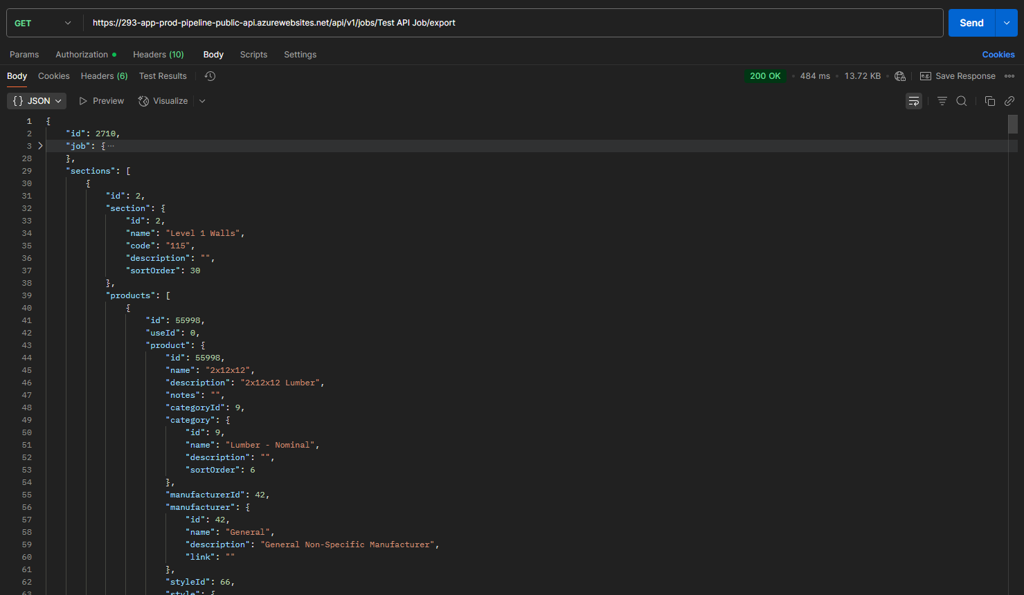
- The Jobs Export endpoint allows the retrieval of the last generated BOM for a job. This endpoint does not generate BOMs by itself, and that must be done through Pipeline LBM.
- The Job Quantities endpoint allows adding Products and Key Measures to a Job’s quantities.
- Finally, a Health check endpoint allows the user to check if their JWT token and other request parameters are valid and working, as well as checking that the API is available.
The Public API uses an OAuth2 Endpoint located at: https://sso.strongtietech.com/common/oauth2/v1.0/token Authentication requires a client_id, client_secret, and the Pipeline LBM tenant name. The tenant name is in the Pipeline LBM URL, for example, within https://lb.pipelinebt.app/lbmsales , lbmsales is the tenant name. The tenant name is used to request a scoped JWT token to the LBM tenant and is in the format of: LBMPublicAPI.Customer.<tenant name>
Here is an example POST request using curl (with the client_id and client_secret omitted) to obtain a scoped token to the lbmsales tenant:
 curl --location 'https://sso.strongtietech.com/common/oauth2/v1.0/token' \
 --header 'Content-Type: application/x-www-form-urlencoded' \
 --data-urlencode 'grant_type=client_credentials' \
 --data-urlencode 'scope=LBMPublicAPI.Customer.lbmsales' \
 --data-urlencode 'aud=pipeline_lbm_public_api' \
 --data-urlencode 'client_id=...' \
 --data-urlencode 'client_secret=...'
Here is an example Postman request to the same endpoint, and with the same information:
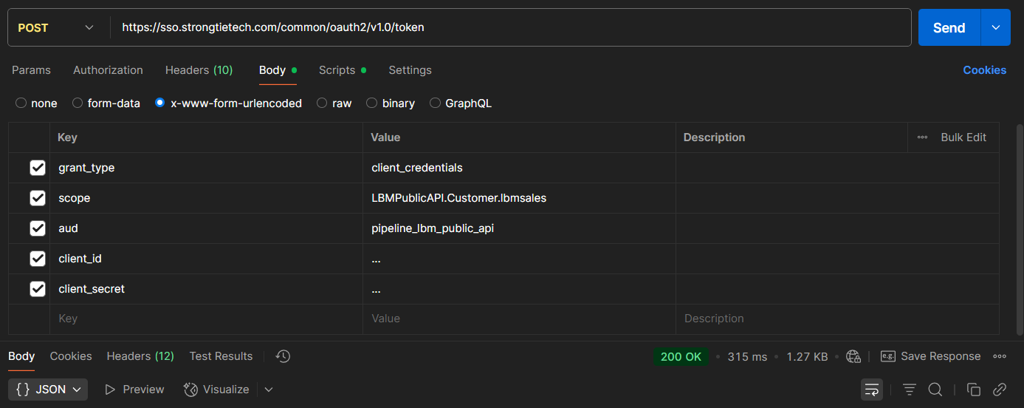
The resulting access_token is a JWT token used in the Authorization header for requests to the LBM Public API.
Each request to the LBM Public API requires an X-Customer header value set to the same tenant name as above. For example, X-Customer: lbmsales would be sent with each request if your tenant name is lbmsales
The API Version is also required in the LBM Public API URL path for each request. Currently, the only version is “1”, so a request to the jobs endpoint would have it set as v1: https://293-app-prod-pipeline-public-api.azurewebsites.net/api/v1/jobs
As a basic walk-through, we will:
- Request a JWT token for a Pipeline LBM tenant
- Create a test job in Pipeline LBM
- Retrieve the job details by calling the Jobs endpoint
- Add quantities to the job by calling the Job Quantities endpoint
- Generate a Job BOM and call the Job Export endpoint
Make a request to the https://sso.strongtietech.com/common/oauth2/v1.0/token endpoint to get a valid JWT token for use with the LBM Public API:
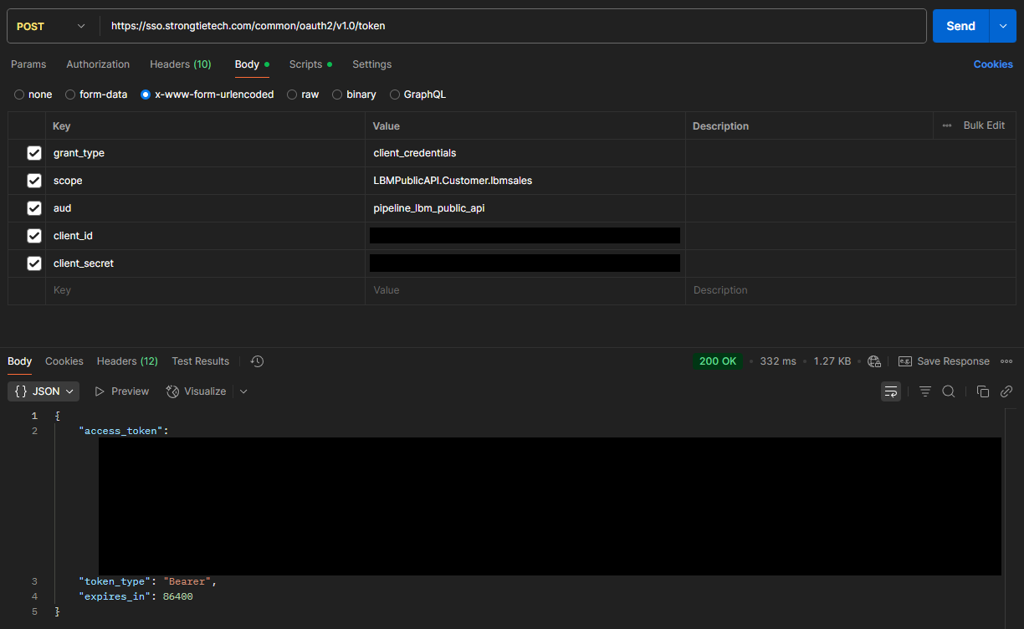
- You will need your Pipeline LBM tenant name. Your tenant name will be different than these examples and can be found in the URL you use to access Pipeline LBM.
- For this example, if we are using this URL to access Pipeline LBM, https://lb.pipelinebt.app/lbmsales, the tenant name would be:
lbmsales - The tenant name
lbmsalesis also used in the scope value for this request:lbmsales→LBMPublicAPI.Customer.lbmsales - Fill in the
client_idandclient_secretvalues given to you - Use the returned
access_tokenvalue in the Authorization header for subsequent LBM Public API requests, like any other JWT token:Authorization: Bearer <access_token> - This tenant name should also be used as the value for the
X-Customerheader for all LBM Public API requests:X-Customer: lbmsales
Create a Test job with any job number - here I have created the
Test API Jobjob: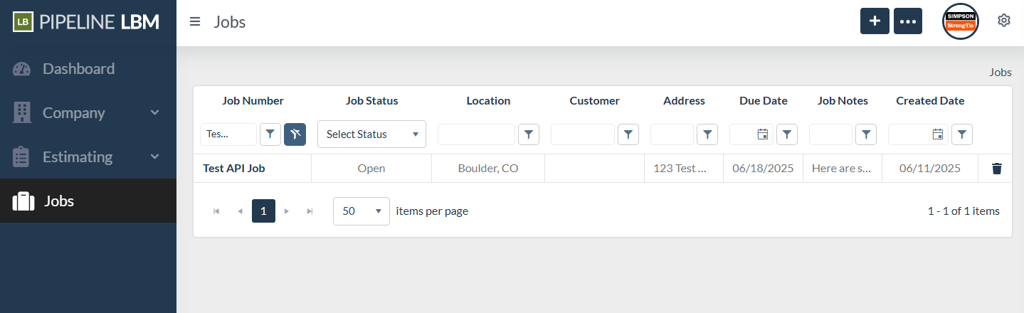
We can view the Job’s details by calling the Jobs endpoint and filtering by
jobNumber: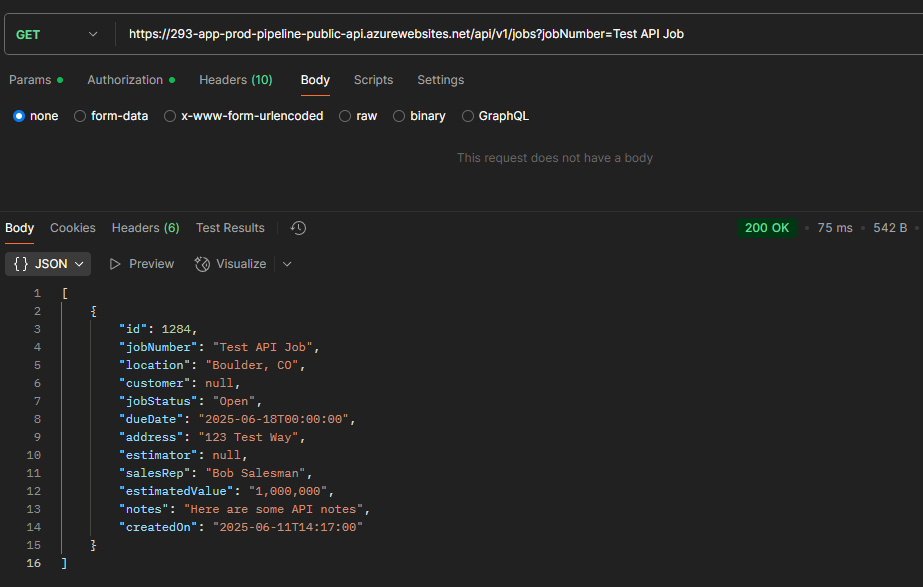
Next, we will add some quantities to this job:
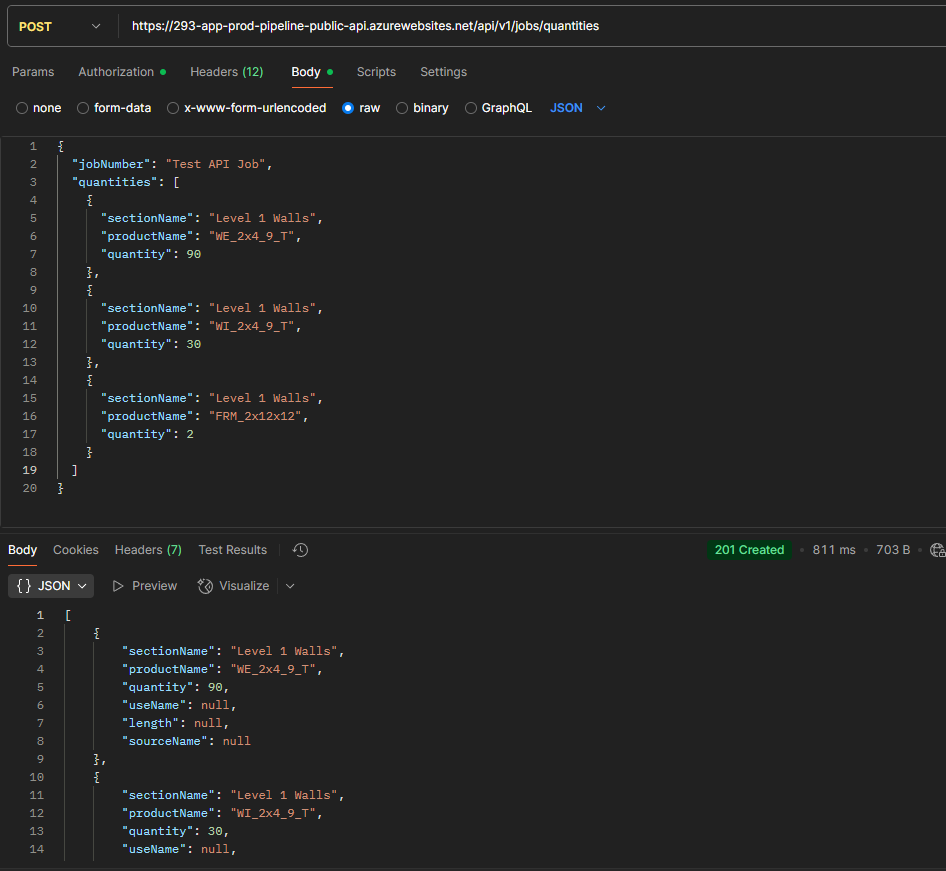
The HTTP Response code is
201 Createdwhen quantities are successfully added.You will also receive the quantities added to the job in the response.
useName,length, andsourceNameare all null because we did not submit those values originally.productNamecan be a Product or a Key Measure name.If a
sourceNameis not specified, it will be “Pipeline” by default. Source names can be added via the Job Quantity Source grid on the General Settings page and then specified with thesourceNameproperty for each quantity.We can also verify that the products or key measures were added to the Job on the Quantities page:
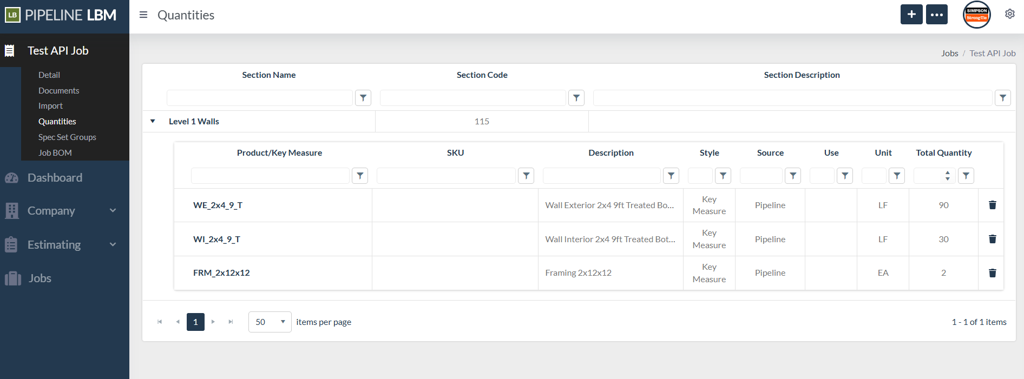
Next, generate a BOM within Pipeline LBM.
This BOM has many more products shown than its Quantities page because we added Key Measures to the job in step 4.
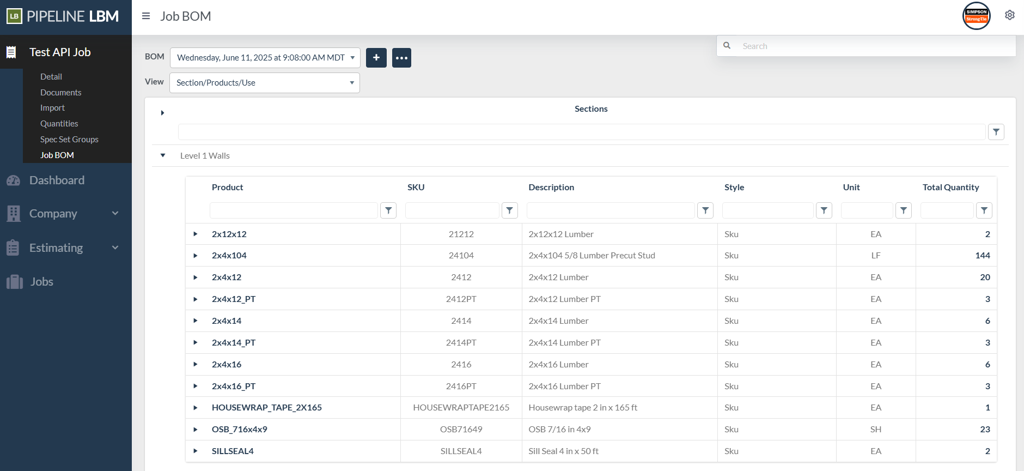
Then, call the Job Export endpoint to get the generated BOM, represented as JSON: